What is a call tracking system? Its parts, and call conversion optimization
A call tracking system is software that ties each phone call to the ad, page or publisher that produced it. It then records what happened on the call and reports the result.
Some people use "call tracking system" for a call center's log of agents' calls. This page is about tracking each call back to its source.
Call conversion optimization is raising the share of those calls that end as conversions. A conversion is the outcome you count as a success on a call.
How does call tracking work?
- A tracking number, a phone number tied to one source, appears in an ad, on a page or on a mailer.
- The caller dials it.
- The system logs the source and any tokens.
- The call is routed and, where recording is on, recorded.
- The outcome is reported.
What is inbound call tracking? walks through each step.
The parts of a call tracking system
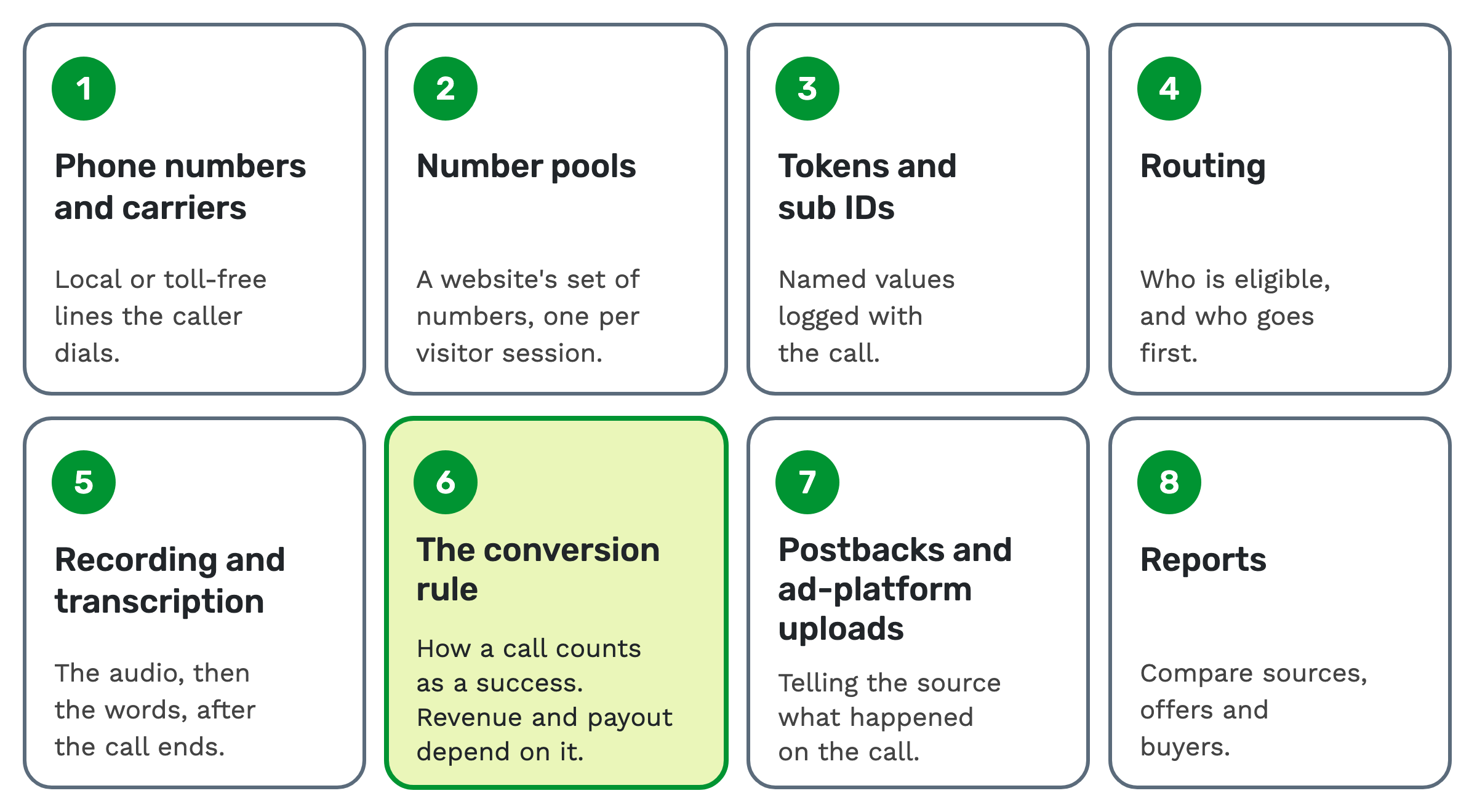
A full system has eight parts, all working on the same call.
1. Phone numbers and carriers. A carrier is the phone company that runs the line. On TrackDrive you can buy local or toll-free numbers. Or link your own Twilio, Plivo or Telnyx account and import its numbers in one click. You can also route your own carrier in over SIP, a standard for internet calling. See pay-per-call numbers.
2. Number pools. A number pool is a set of tracking numbers a website draws from. With dynamic number insertion, each visitor session gets its own number, so the call maps back to that visitor's source.
3. Tokens and sub IDs. A token is a named field that carries a value on a call, such as the caller's state. A sub ID is an extra tag for the ad, page or placement that sent the traffic. Send it as the sub_id parameter when you submit a lead by API. A sub ID sent with a lead rolls up into "source/sub-source breakdowns on the reporting dashboards". A custom token logs any other value of your own with the call.
4. Routing. Filters, hours and caps decide which buyer is eligible, and a routing method ranks the rest. A buyer is the business that takes the call. See how to route inbound calls.
5. Recording and transcription. Call recording is on by default in TrackDrive at company level, and offers and buyers have their own Record Calls setting. AI transcription turns the audio into text after the call ends, not while it's happening.
6. The conversion rule. This is how the system decides a call succeeded, such as a minimum talk time. Revenue, payout and every rate built on them depend on it.
7. Postbacks and ad-platform uploads. A postback is a server-to-server message telling the traffic source what happened on a call. An upload tells the ad network which clicks produced conversions.
8. Reports. The call log holds each call, and reports group them so you can compare sources, offers and buyers.
What call tracking analytics shows you
In TrackDrive, every call lands in the log with its source, offer, buyer, timings, geography, custom tokens, revenue, payout and margin.
Revenue is what the buyer pays for a call. Payout is what the publisher earns. TrackDrive tracks these earnings; it never pays anyone out.
Summary reports group calls by buyer, traffic source, offer, status and dozens of other dimensions.
The pay-per-call numbers to watch every week gives the math for four core numbers: qualified rate, billable rate, revenue per call and margin.
Why use call tracking
- If you run ads, you need to know which campaign drove each call.
- If you send calls to buyers, you need a record of which calls were yours and what each earned.
- If you buy calls, you need to see which sources send calls that convert.
- If you run a network, you need revenue, payout and margin for every publisher and offer.
For calls that are sold, see call tracking for lead generation.
What is call conversion optimization?
Call conversion optimization means raising the share of calls that convert, and what each conversion earns.
People usually mean bidding more on the sources that send converting calls, or improving what gets said on the line.
Both assume the call was answered. A call nobody picks up never gets that far. So the answering side counts too: who gets the call, and what happens when nobody can take it.
Start with what counts as a conversion
If every call counts, a wrong number scores the same as a booked appointment. So settle the rule first.
On TrackDrive, conversion is usually set automatically: by call length, by a buyer's own rules, or by the buyer posting to a conversion webhook. A user with the right permission can also mark a call converted by hand.
A duration rule fires once the call has been connected for at least N seconds. A call shorter than a duration rule's N seconds doesn't fire that rule.
A disposition is something else: an outcome an agent or the system assigns after a call, such as "not qualified". A call can have a disposition, a conversion, both or neither.
Six levers for call conversion optimization
None of these promises a result. Change one at a time and compare against your own numbers.
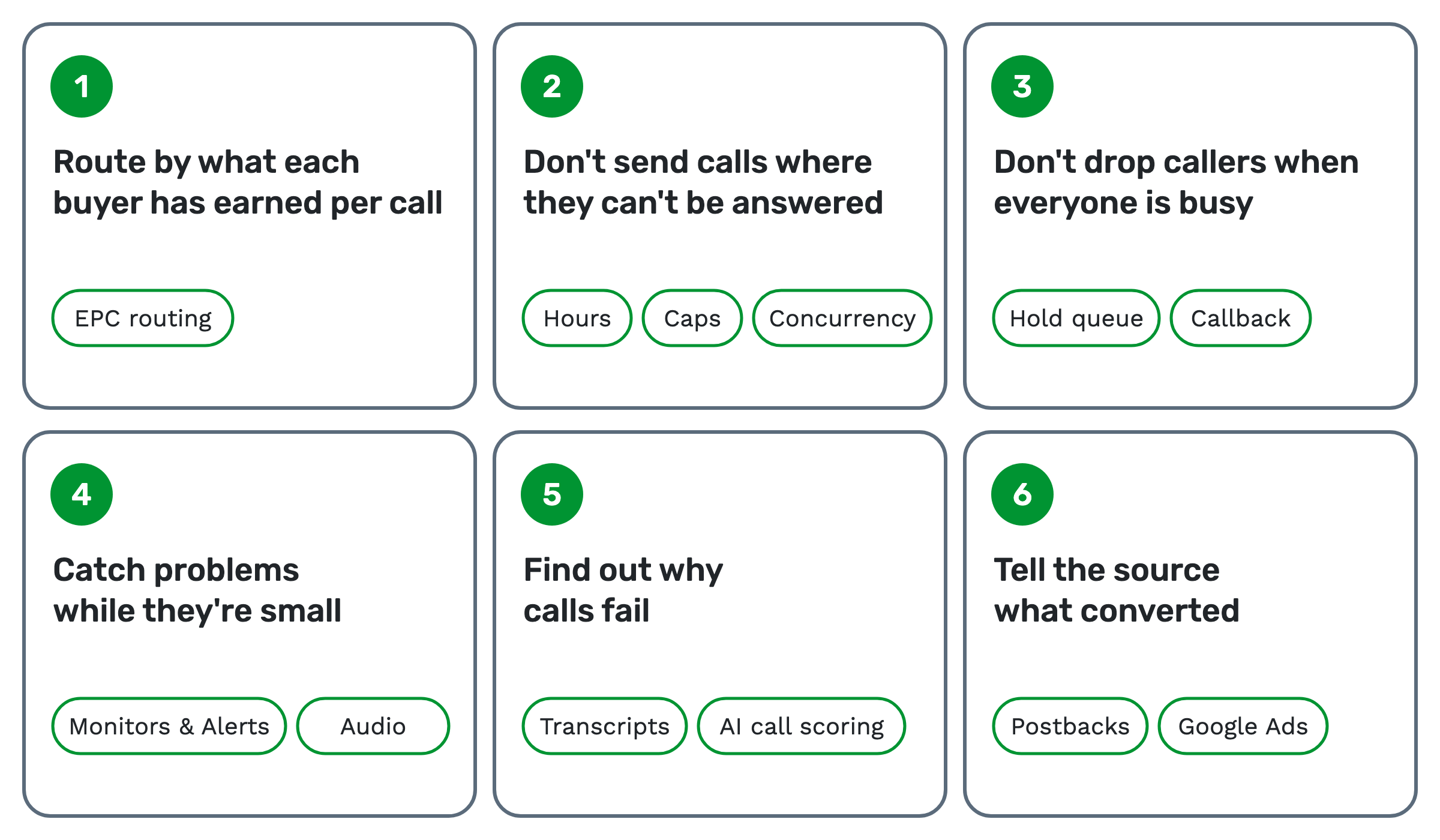 1. Route by what each buyer has earned per call. EPC, or earnings per call, is a routing setting in TrackDrive. EPC routing puts buyers with the highest historical EPC first, calculated over a set number of hours. Until a buyer has taken a minimum number of calls in that time, an assumed EPC stands in. It only sorts eligible buyers.
2. Don't send calls where they can't be answered. A buyer outside its hours, or at a cap, is skipped. A cap is a limit on how much a buyer takes. Hourly, daily and monthly caps reset on their own. A total cap never resets on its own; its limit can be raised by hand. A concurrency cap is the maximum number of simultaneously live calls. See buyer caps and concurrency.
3. Don't drop callers when everyone is busy. A default call flow fires when every eligible buyer is at capacity. One option is a hold queue, where callers wait with music until a buyer opens up. If the queue is full, the call isn't added and the "queue is full" call flow decides. You can schedule a callback there.
4. Catch problems while they're small. Monitors & Alerts can notify you when buyers don't answer, or when calls are shorter than a length you set, over a window you set. An alert can also pause the item it monitors.
TrackDrive also scores audio on every routed call. It reports MOS (a standard audio score), quality, packet loss and jitter, with dead air and one-way audio flagged.
5. Find out why calls fail. With AI transcription on, you can search every transcript for what was said. AI call scoring grades transcribed calls on offers where you've set up a scorecard, with a 0 to 100 score whenever a question applies. See call quality scores.
6. Tell the source what converted. A postback doesn't depend on the consumer's browser and can't be blocked by ad blockers. You configure it per traffic source or per offer.
For Google Ads, TrackDrive waits three hours after a call on a mapped offer ends, then reports it if the buyer converted. A later conversion is sent within minutes of being recorded.
The integration doesn't capture the gclid, Google's click ID. It must already be in a token when the lead or call reaches TrackDrive, and the DNI script captures it from the page address. Google Ads call tracking covers the value sent and which accounts work.
Snapchat has its own integration, and webhooks send call data to your own systems.
What to look for in inbound call tracking software
Inbound call tracking software runs these parts. Ask five questions before you choose.
- Can you define a conversion your way?
- Does it route calls, or only report on them?
- What happens when every destination is closed or full?
- Can it tell your sources and ad platforms what converted, and how soon?
- What will it cost at your call volume, with every add-on counted?
What to look for in pay per call software goes further.
When a call tracking system is more than you need
If you run one ad to one phone line, you already know where the calls came from. Add tracking numbers when you add sources, and routing when more than one destination can take a call.
What it costs on TrackDrive
Each number you buy through TrackDrive has a monthly rate. Inbound calls to those numbers are billed per minute, rounded up to the full minute, with one rate for local numbers and one for toll-free. The route to your buyer can change the total. Numbers on your own linked carrier account are still billed per minute, with a monthly fee per number.
There's no onboarding fee. TrackDrive pricing shows what each rate includes.
Questions people ask
What is call tracking? Call tracking shows which ad, page or publisher sent each phone call. It works by giving each source or visitor its own tracking number.
What's a good call conversion rate? This page gives no figure, because it depends on what you count as a conversion. Compare each source with its own recent weeks.
Why use call tracking if I already use web analytics? Web analytics sees the visit. It can't tell you who answered, how long the call ran or whether it converted.
See it in action
Request a demo for a live walkthrough tailored to your use case, or start free, with no credit card and no onboarding fee.